Exact HR portal
We use Exact as HR portal. Here you can:
- Find your leave & absence balance
- Request leave & absence
- See your payslips
- See your Annual statement
- See your Contract
Account
If you don't have an account request one by Richard or Kristian.
Cockpit
Once you have logged in, you'll see a dashboard where you can access all your information: payslips, annual statement, contracts, balance for absence.
Request leave or absence
- Login to Exact
- On the dashboard select Verlof aanvragen:
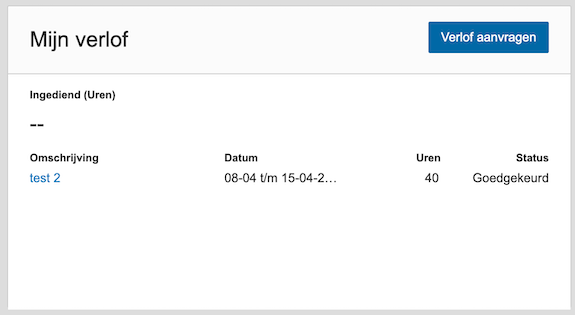
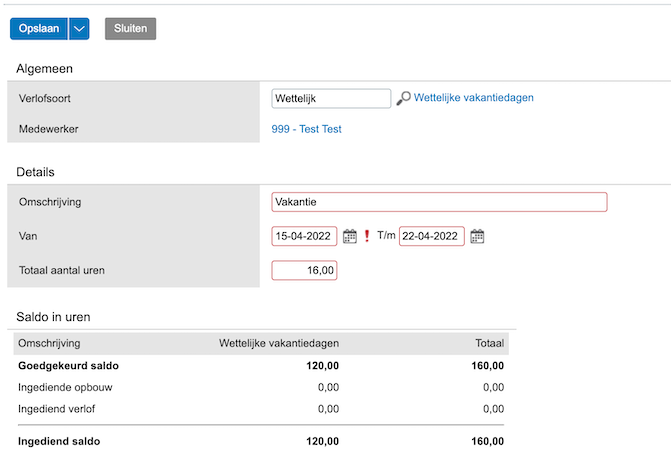
- Fill the form:
- For Type of leave (Verlofsoort) always choose Wettelijk.
- Fill in anything for Omschrijving.
- Make sure to select the start and enddate.
- Fill in the total amount of hours.
- Choose Save (Opslaan) in the left top corner to make it final.
HR will receive a notification of your request and will handle it.